Highlight
Raw footage in, finished highlight out.
AI finds the plays and cuts the downtime out. You choose what belongs, then download the MP4 or send one link.
For every parent in the bleachers · 41 sports
NextPlay turns the clips already on your phone into a highlight you review and share. Upload clips off your phone, scattered moments or a full game — or download the file from Hudl and add it. AI finds likely plays and cuts the downtime. You choose what belongs — no nights spent scrubbing a video timeline.
Plans start at $14.99/month · or a $40.99 Season Pass for 3 months with one payment and no auto-renew
An AI sports media platformHighlightsRecruiting HighlightsCoach FilmGame TapeSocial captions
“I cried. Then I sent it to the whole family.”
every season gets a page
tournament film included
the whole game, play by play
the AI does the cutting
How it works
Step one · Film
Twenty seconds here, a quarter there — it's all on your phone.
Step two · Add it
Phone clips, tournament film or a complete game — files up to 25GB, tapes up to 6 hours.
Step three · Find
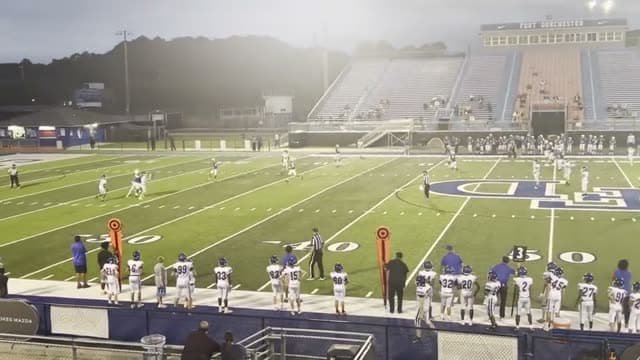
AI marks every moment worth keeping and cuts the downtime — like a parent would.
Step four · Share
Review the cut, choose what belongs, and share it with the people who care.
What you get
Upload your film. AI finds the plays. You pick what to highlight — highlights, coach-ready cuts, downloads and share links. No editing skills, no weekends lost to iMovie.
AI finds the plays and cuts the downtime out. You choose what belongs, then download the MP4 or send one link.
Files up to 25GB and tapes up to 6 hours — tournament film included. Game Tape and Coach Film keep the play-by-play cut complete.
Landscape, muted by default, athlete-first — the film your family sends itself.
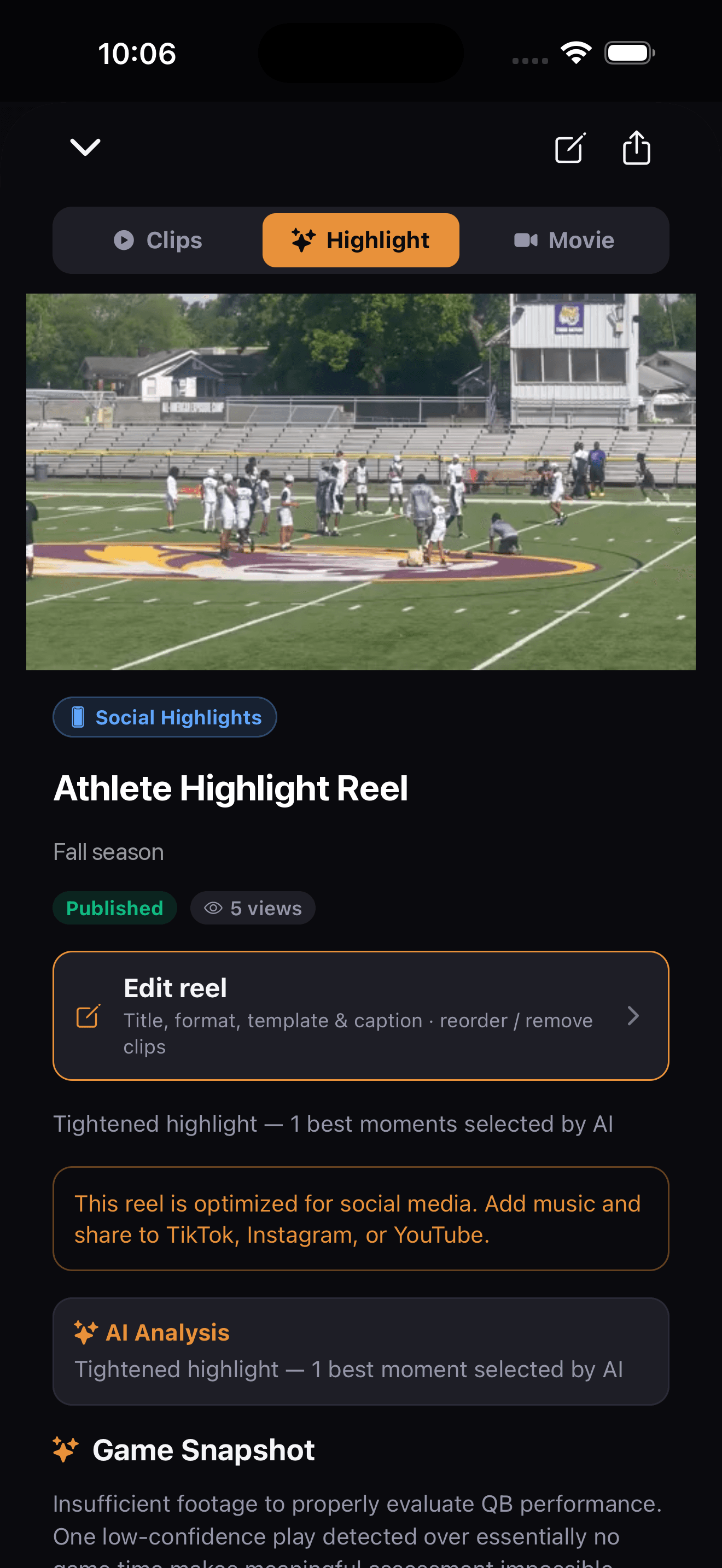
Every other cut plays the whole reel. This one chooses — the strongest plays only, hard cuts, shot upright for Reels, TikTok and Shorts. It is built the moment the reel is, so it is already waiting the first time you think to post something.
0:00
hook — second-best play opens
0:08
hard cut
0:19
hard cut
0:27
the best one lands last
0:31 · ready to post — add the trending audio when you post.
Six cinematic color grades and transitions — NFL-Films feel for a Tuesday-night JV game. Preview before you share.
We find the plays in the game. You mark which ones are your athlete — one tap per play — and the mark follows them through the finished cut, so a coach knows who to watch.
One link for family, no login needed. Download the MP4, or export an unlisted YouTube link when it's time to send film wider.
Captions, hooks and platform copy written for Instagram, TikTok, YouTube and X — paste and post with the trending audio you like.
Every game graded A–F, with strengths, areas to develop, and next steps. Watch the grade climb across a season.
Nobody has 40 hours to make the season scrapbook. Now nobody needs them.
Your videos are yours. Share with a link when you choose — coaches only see what you send them.
Review the detected plays and choose the moments you want in your athlete's highlight.
You own the account. Delete videos, reels, and athlete profiles anytime — gone for good.
We do not train or fine-tune AI models on athlete footage. Processing is for creating your videos.
The same film, one clean link
A coach gives film about forty seconds. Send one link — every detected play timestamped, no login, nothing to download. Or hand over the MP4 and an unlisted YouTube link for recruiting sites that want them.
For teams and clubsWorks with what you already use
Clips off your phone, a game another parent shared, or a whole game from a fixed camera — files up to 25GB.
Download the video file from Hudl and add it. When it's cut, download the clip package — one MP4 per clip — and upload it with Hudl's own uploader. Athletes usually need a coach to turn uploading on.
Paste your club's public Veo library link and import recordings straight in — no re-upload from a phone.
Every season gets a page
Friday night · under the lights
Film from the bleachers, upload before you reach the car, and the reel is waiting by bedtime. iPhone, iPad and Android, free to download.


Pricing
Start with a three-month Season Pass built around your athlete's schedule. Monthly and yearly plans stay available when you want them.
Athlete Season Pass $40.99 · Family $67.99 · one payment · nothing to cancel
Raw footage in, finished highlight out
One payment · no auto-renew · save $3.98
Get StartedFair use: 150 clips + 10 full games analyzed a month
Highlights for the whole family (4 athletes)
One payment · no auto-renew · save $6.98
Get StartedFair use: 300 clips + 20 full games analyzed a month
For clubs and programs with multiple athletes
One payment · no auto-renew · save $44.01
Get StartedFair use: 1,000 clips + 60 full games analyzed a month
For large programs with hands-on onboarding
One payment · no auto-renew · save $74.01
Get StartedFair use: 3,000 clips + 200 full games analyzed a month
How your athlete's highlight is made: We find the plays in the game. You choose which ones are your athlete — one play at a time. NextPlay does not pick one athlete out of team film automatically.
From the sideline
NextPlay turns raw footage into a finished highlight. Upload whatever you shot — a handful of phone clips, a practice session, or a full game — and the AI finds the plays, cuts the downtime out, and builds a Highlight, Recruiting Highlight or Hype version you pick the moments for. It will also break a whole game down play by play as Game Tape when you want it for study.
Athlete is $14.99/month for one athlete, or $99/year (Save $81 a year), with unlimited uploads and unlimited highlight reels. Family is $24.99/month for up to 4 athletes, or $179/year (Save $121 a year). Team is $149/month and Team Pro is $249/month for clubs and programs. Or buy a Season Pass on the web: three months for one payment that does not renew — Athlete $40.99, Family $67.99, Team $402.99, Team Pro $672.99. Every plan includes AI play detection, unlimited highlight reels, downloads and share links, and no watermark. If you already subscribe, your price doesn't change.
Uploads are unlimited. AI analysis on plans started on or after September 16, 2026 has a monthly fair-use allowance: Athlete 150 clips and 10 full games; Family 300 clips and 20 full games; Team 1,000 clips and 60 full games; Team Pro 3,000 clips and 200 full games. A full game is a video 15 minutes or longer. A video past the allowance is saved and playable, and is analyzed automatically when the allowance resets on the 1st of the month, or soon after you move to a plan with a larger allowance. Subscribers who joined before September 16, 2026 keep unlimited analysis.
No. NextPlay is a paid product. Creating an account is free so you can look around, but adding film needs a plan. Plans start at $14.99/month and you can cancel at any time.
Your reels stay yours. Everything you already made stays watchable, shareable and downloadable, and your uploaded videos stay playable. What stops is new work: you cannot start a new upload or a new AI analysis until you have a plan again.
No. You upload the footage and NextPlay's AI finds the plays, cuts the clips, and builds the output you picked. Highlights are capped to the strongest plays; Game Tape and Coach Film keep every detected play in order for review.
Yes. Every play the AI detects becomes a clip, in the order it happened, and the cut is never shortened to hit a runtime — a breakdown missing plays is not a breakdown. A full game takes over an hour to analyse, on top of the time to upload it and to build the finished video, so start it and come back. Detection depends on what the camera captured: a fixed wide-angle, sideline or corner camera works, but plays off the edge of frame cannot be found. You review the detected plays against your own footage and remove anything you do not want.
Yes, for soccer, ice hockey, field hockey and lacrosse games. Download the game's video file from the Trace or XbotGo app and upload it here, or import from a public Veo club library — NextPlay does not connect to your camera account. These cameras film the whole field, so the result is team film: every play the AI detects is cut, for both teams, and a full game takes an hour or more to analyze. To make your athlete's highlight, open the reel, go to Play-by-play and use Mark athlete on their plays. These videos usually have no score on screen, so NextPlay cannot confirm which moments were goals; it adds attacking plays at the goal area as big plays for you to review. Some will be near misses, and a goal the camera did not keep in frame cannot be found. If your camera app can put the scoreboard in the video, turn it on — NextPlay reads goals from an on-screen score.
It is a roughly 30-second vertical cut built for Reels, TikTok and Shorts. Every other view plays your whole reel; the Hype Reel keeps only the strongest plays and joins them with hard cuts. It is generated alongside your other cuts, so it is ready without being asked for. It does not change the color of your footage, and you add the trending audio you want when you post.
Yes. Videos are private by default and sharing requires an explicit action by you. NextPlay does not train or fine-tune AI models on your footage; processing uses providers only to analyze and render your videos.
No. NextPlay cuts every play for the whole field and does not track a player or read jersey numbers. Mark athlete lets you tap your athlete on any play — circle, arrow or spotlight — and the mark is burned into the downloaded video. Film that follows one player (phone footage, a Trace or Veo player view) keeps them in more of the clips. Team plans can use roster numbers to suggest which athlete each play belongs to.
NextPlay supports 41 sports including basketball, football, soccer, baseball, softball, volleyball, lacrosse, wrestling, swimming, track and field, tennis, hockey, rugby, golf, cheerleading, gymnastics, rowing, fencing, pickleball, padel, and more.
Yes. NextPlay can create landscape Recruiting Highlights, downloadable MP4s, tracked share links, and unlisted YouTube exports you can send to coaches or paste into recruiting sites. It does not automatically contact coaches or generate school matches.
NextPlay supports local video files up to 25GB and source videos up to 6 hours - a pocketful of 20-second clips, a full game, or a long tournament recording. On the web, keep the tab open while the file is transferring; after upload finishes, transcode, AI analysis, rendering, and recovery continue server-side.
On iPhone and iPad, yes — the app uses native background transfer, so you can lock your phone or leave the app and the upload keeps moving. On Android, keep NextPlay open while a large film uploads. If your account is behind the latest store build, NextPlay shows an update notice until the new version opens.
You don't lose your progress. NextPlay tracks how much of the file already arrived, resumes from where it stopped when possible, and keeps the upload row visible instead of deleting it. When something truly needs action, the dashboard tells you whether to resume, re-upload, update the app, or retry analysis.
Yes. Finished reels can be shared by link or downloaded as MP4 files. Plain Download is the safest path for long Game Tape; Movie and Hype versions are rendered as their own MP4s when the source clips can support that format.
Upload rescue, render recovery, and the admin support dashboard watch for stuck uploads, missing playback, empty reels, missing source MP4s, and game-film clip risks. Safe issues can verify and clear themselves, while provider-side issues stay visible until an operator handles them.
Not from a Hudl link directly. NextPlay ingests local video files, not authenticated player links. Download or request the MP4 file first, then upload that file to NextPlay.
Yes, if no video on your account has ever been analyzed — that means the subscription was never used. Once a video has been analyzed the subscription is not refundable, but you can cancel any time from Settings → Billing. A refund closes the account: when we refund a charge, the plan ends right away and the account is deleted, including its uploads, clips and reels. If you would rather keep your film, cancel instead — cancelling keeps everything. See the full Refund Policy at /refunds.
Plans start at $14.99/month · cancel anytime
